Everything for your teaching in one place
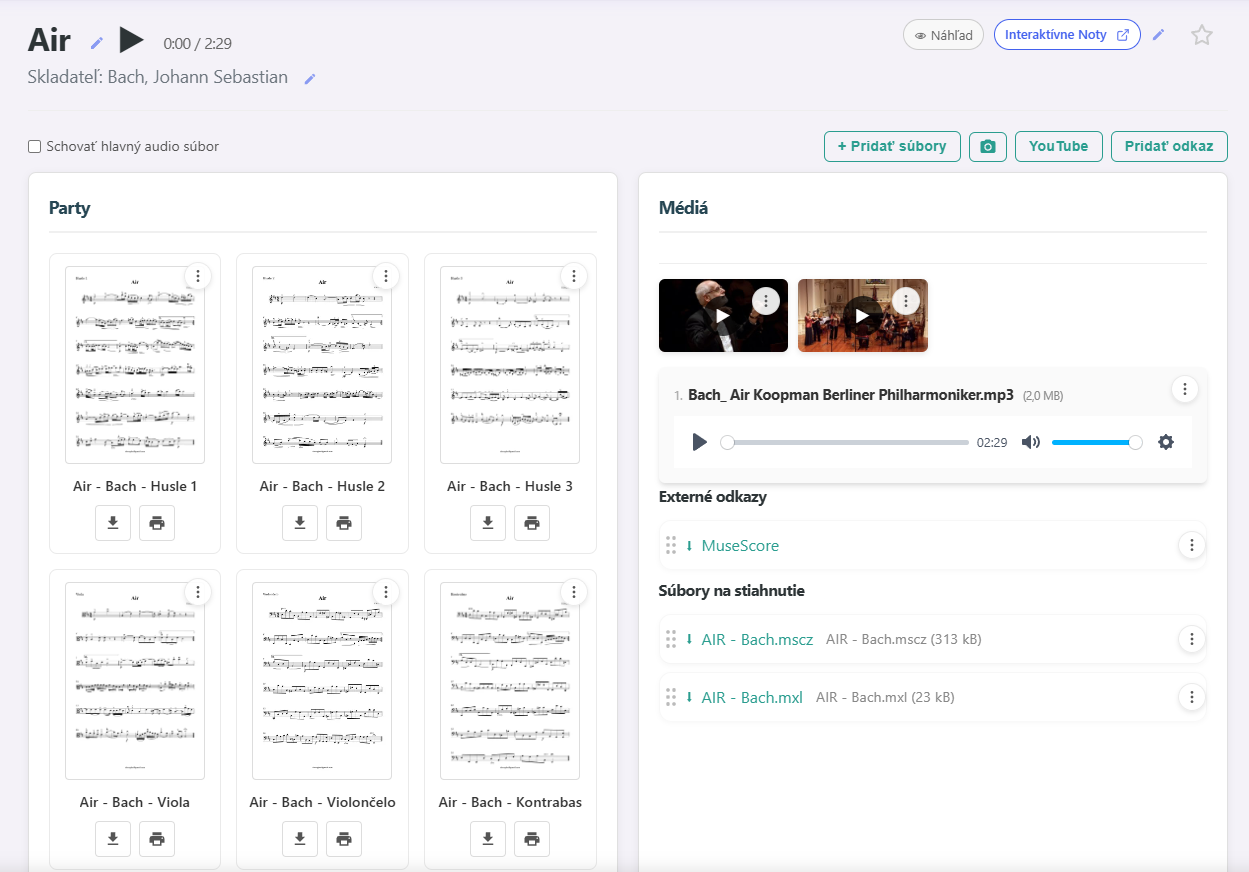
Everything for a song in one place
PDFs, YouTube videos, recordings and downloadable files. Set up a piece once and your students always have it at hand.
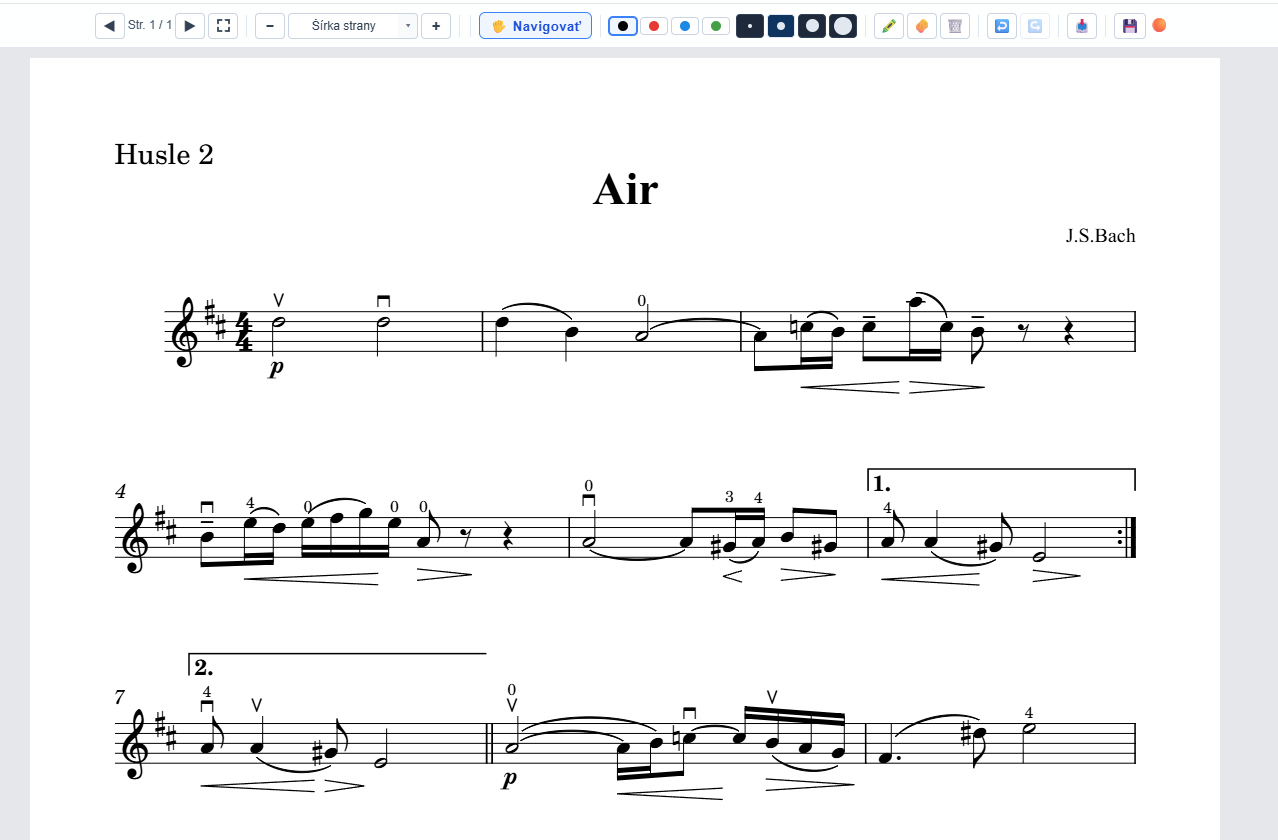
Notes directly in sheet music
Draw and write directly on PDF sheet music. Your notes are saved and the student sees them every time they open it.

Overview for students and teachers
Students see when and how long they practised — day by day and for the whole month. Teachers get an overview of all their students: who practises regularly, who is skipping, and which songs they work on.
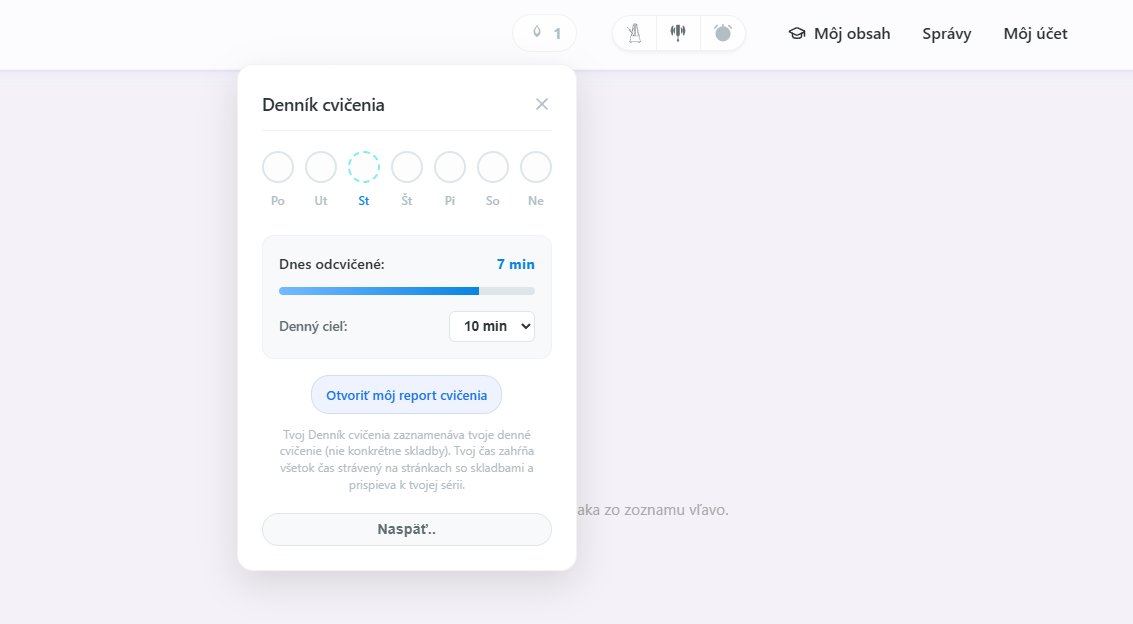
Automatic practice tracking
The app records on its own when and how long a student practised. Nothing to write down.
Groups and sharing
Create groups for classes, chamber ensembles or individuals and share pieces with them. Set access rights for a group or for each student.
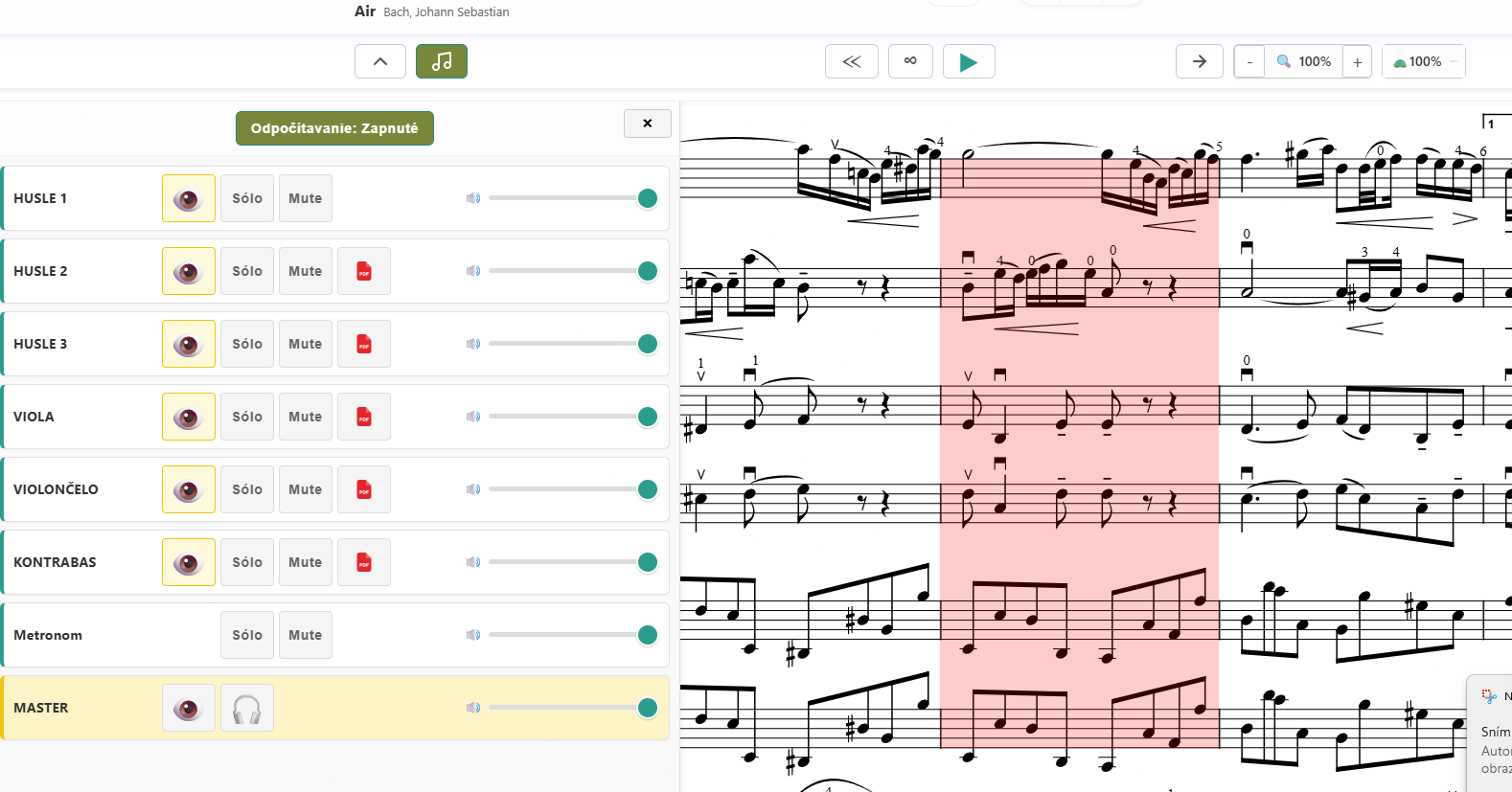
Interactive sheet music with a mixer
A MusicXML score and recordings of the individual parts become a mixer: the student controls each part separately, slows down the tempo and the notes follow the music.